Showing posts with label Projects. Show all posts

Monday, February 27, 2012

cutest cookbook evah

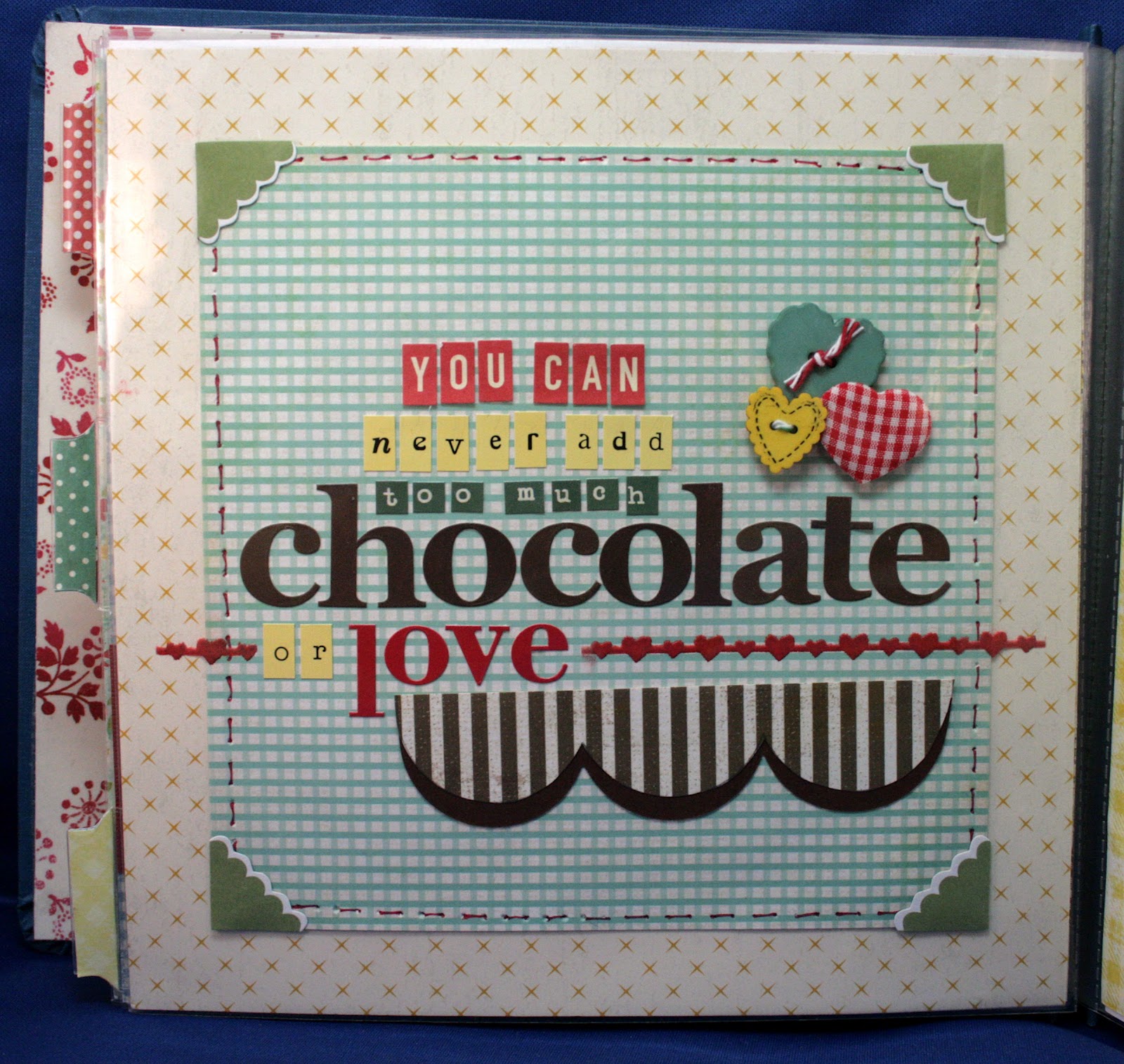
OK so I don't know for 100% sure this is actually the cutest cookbook evah...after all cuteness is subjective...but to me it is no doubt the cutest thing evah and my niece, who I made it for, 100% agrees! She got it for Christmas this past year and she absolutely loved it...like clutched her chest, held back tears, oh my, oh my, loved it! She was so excited to see what it was when she opened it and I totally loved that she loved it. After all as a scrapper we all know homemade gifts can be a big hit or a complete and total dud. It's so unfortunate that so many people just don't appreciate the time, effort and lovin that goes into a stellar handmade gift...luckily for me my niece is not one of those people. She loved it so much it's just too bad it wasn't from me. LOL. See even though I am the one who spent 20+ hours lovingly crafting this amazing cookbook, it was actually a gift from my sister to her. Let me explain...see in our family my sister is the cook...I am the crafter. Our niece is a little bit of both of us...she loves to craft and loves to cook and of course we are both more than happy to share our talents and teach her everything we know....especially considering none of our combined 7 kids have any interest in either subject. So since my sister has been teaching my niece to cook all of the great family recipes my grandma's handed down to her she thought it would be great to give her a family cookbook for x-mas so being that she isn't the crafter she asked me if I would make it for her if she gave me the recipes...so naturally since I only had 100 other things to do before Christmas I said sure, why not! LOL.
Since I have never done a cookbook before I had pretty much zero in the way of cooking related supplies in my stash...so poor me had to go shopping. Had to keep the shopping to a minimum since this gift wasn't actually from me so the plan was to find something stellar to kick off with and fill in with generic scrappy supplies from my stash...luckily my scrap store had some of the Savor line by LYB in stock so I snagged the super adorable chip board shapes to get me started and then spent a little more buying some cooking related die cuts that my LSS sells. At another store I bought the Nan's Favourites paper pack from Kaiser Craft which has super cute papers and a bunch of kitchen/cooking themed die-cuts. All together it was only about $10. Everything else I used on this album came from my stash which was a few embroidered pieces, some papers and some labels including the mega adorable and totally perfect labels from Fontwerks...love that they looked just like recipe cards. I also used lots and lots and lots of letters from my stash...especially the little ones from Cosmo Cricket and My Little Shoebox....good thing I have lots of them! The album I used is an old 8x8 album I had from Pioneer...it was perfect for a cookbook because the cover is vinyl covered fabric and can be wiped clean.
OK enough typing...time for some pics...enjoy!


Tuesday, February 21, 2012

purge, clean, shop, create, repeat

Here's what I learned this weekend..it's amazing how much stuff you can get into in 3 days time when you are trying to avoid doing what you really should be doing. See I am supposed to be selecting, editing and printing pics in preparation of the 4 day crop I'm going to in 3 weeks but instead of doing that I ended doing everything but. Seriously... I cleaned, created, shopped, purged, cleaned some more and then shopped some more...everything but edit pics. I know I will so regret the procrastinating but on the plus side I got tons done this weekend. ...one layout, 2 projects, purged a bunch of stuff, put away some stuff and got a bunch of great new stuff.
First I did some creating...I did an absolutely amazing layout using lots of fun ink techniques...cool right...except I can't show it to you cause it's for a page call for Creating Keepsakes :( sorry ...I really really really wish I could show it to you all cause I was major happy with how it turned out. I couldn't finish it right away though cause I needed a heat gun...I had one but the cord was all chewed up and I thought best not to use a super hot tool with exposed wires around a ton of paper...thinking that was a pretty good call. Anyways this is the part where the shopping comes in...I had a couple 50% off coupons for ACMoore so off I went to get my new heat gun. Since I had more than one coupon I dragged the kiddos along to make the trip worth it...I got the heat gun for 10 bucks after the coupon and they each got a couple packs of WRMK page protectors for me...total bargain at 2.99 for a 10 pack. So with heat gun in hand it was back to creating...didn't take too long and my masterpiece was done. So naturally after all that creating it was time for some cleaning...had to put away all the shtuff I used to create the layout. That didn't actually take so long...since I was working with inks I tried to keep my workspace pretty clean while I working so I didn't accidentally ink something that should'nt be inked....since I've been known to do that on occasion (read: all the time). After cleaning I got pics taken of my layout and off it went to CK. Fingers crossed.
That brings me to Saturday...another day with no desire to sit and edit pics. Instead I started working on putting away a pile o'crap from a bunch of kits I was done with...a totally overwhelming task but I really needed to get it done. I started working on it but it wasn't long before I got distracted and started yet another entirely different project...purging. For this i am blaming my friend Tina...it's her fault I had purging on the brain in the first place...she was telling me Friday about how she was purging her scrap supplies and how her space was so clean now yadda yadda yadda...so in the midst of working on one project to avoid working on another project I started working on another...crazy right! I know. I know. I did get through a lot though...in the time it took to watch 2 Harry Potter movies I managed to get through all my boxes of theme stuff and purged quite a bit....seriously......check it out...


all of this lovely stuff is destined for a scrap swap and sell event in the not so distant future...really pathetic to see all this unopened stuff in this box but I am glad to finally have it all one step closer to being out of my house and I am majorly looking forward to the cash this pile can bring me...after all I have more scrap stuff I want to buy...it's such a never ending cycle! So after I got all this stuff purged it was back to my big ol box of scrap crap to put away. I started sorting it into little piles and putting it away a little bit at a time. I made a little progress but once again before I could make a real dent in it I got distracted....this time with more creating. See as I was going through my box of stuff to be put away I found a big bag of chipboard circles and squares that were the leftovers from some x-mas calendars I made like 3 years ago. Of course I held onto them because that's what I do...I hold onto stuff ...not because I have specific plans to use it but because the stuff has potential...and who can throw out a big bag of potential. Apparently not me. But since it had been 3 years since I had even laid eyes on the bag I figured it might be time to bite the bullet and just toss it....that was until I opened the bag....and whoosh just like that all that potential came rushing out and before I knew it I had all the circles and squares out of the bag and was moving them around and around and around until bam!!...there it was...an idea...a really cool idea...so out came the glue and the glue dots and before long I turned most of those circles into this...


A fabulous Christmas wreath!! Isn't this the coolest. I think so ...and to think I almost threw them all in the trash. Fueled by my success with the circles I tried to come up with something to make with the squares and after a little trial and error here's what I made with those...


Not quite as cute as the wreath but I like it. I still have a ton of the squares left so I think I will be making some more of these. Not bad huh...two great projects from a bag of stuff that was minutes from the trash barrel and as an added bonus it's only February and I already got 2 Christmas projects done!
So by the time Sunday rolls around my scraproom looks like a bomb was dropped in there...guess that is to be expected after working on too many things at once...so I decided it's time for more cleaning...I cleaned off some of my workspace...got it to that good nuff stage.. and then it was back to working on the box o'scrap crap again. I really really did try to make some progress on getting it all put away but it wasn't long before I decided what I really need to do was some more shopping. This I blame on ACMoore and their clever marketing...see when I went shopping for my heat gun, etc. with my 50% coupons they gave me 55% off coupons for Sunday and Monday...naturally I couldn't pass up using those...so this time I dragged the hubster and the kids and off we went for a quick trip to ACMoore. Top of my list for my 55% off coupon...a Martha Stewart score board. So happy to finally own one...and just $11.25 after the coupon. Since I had more than one 55% off coupon I looked around for more stuff I just had to have...finally decided on a new corner punch because my old one is being held together by scotch tape..$4.95 after the coupon. I also found an amazing deal on American Crafts ribbon...24 rolls (4 feet each) for $6.75 after the coupon...works out to .21 a yard for lots of polka dot rainbow goodness. I used my last coupon on a practical purchase...glue dots...got the 4 pack for $7 after coupons. I also got some thickers since all the stickers were 40% off...after all who can say no to thickers for 2.99. I also got some stickers from ATD...love their stuff..super cute and super cheap at 40% off. Here's a peak at my haul...


Of course when I got home I had to put all of this away. Oh well...it was a productive weekend. Hopefully tomorrow I won't find so much stuff to do and can get to editing those pics....but I doubt it.

Friday, March 19, 2010

Alice in Wonderland


OK the wait is over. I promised you a never before seen project to share with you and I'm ready to make good. Here is my "Alice in Wonderland" inspired wall hanging. I made this wall hanging this past weekend and it was a total labor or love. I haven't been this into a project in a long time...I basically ditched everything I was supposed to do this past Sunday so I could finish it. Bad Mommy! Oh well I'm over the guilt..it was worth it.I got the idea to do this project Saturday when I was down in my cellar (the one I was supposed to clean on Sunday) and I noticed all my unused empty CD cases sitting on the shelf. I used to keep all my stamps in them so I have a bunch. Well I thought what a waste...I really should do something with those. So I grabbed six and headed to my scrap room.Because they are acrylic, my first thought was I had to do something with alcohol inks. From that thought on, the project just took on a life of its own. I needed some pictures for my project so I played around in PSE and discovered I really like the stamped effect so I converted a couple pics to "stamped". After I printed out a few to play with the idea of Alice in Wonderland came to mind... and that's how I came up with the design to do the large image with the 3D foreground. It's perfect for my daughter because we call her Alice sometimes because she has her head in the clouds and has quite the imagination.I know it sounds a little complicated but it really wasn't. It was a little time consuming but it was super simple to do and I will walk you through the steps.

Here's what you'll need: Alchohol Inks, Transparencies, CD Cases, Assorted Embellisments, Fishing Line, Seed Beads, Pop Up Dots

Step 1 - Select Pictures - I chose pictures of my daughter that were evenly lit. Shadows tend to cause issues when you do the "stamp" effect. Also I chose pictures where her eyes were well lit and clearly visible. Again this is because of the stamped effect...squinty or dark eyes don't look so well.

Step 2 - Apply Stamped Effect - Once you select your pictures, you'll need to edit them. I used PSE 5. I just did the basic edits to clean up stray hairs and things like that in the photo but because it was going to be converted to black and white, I really didn't need to tweek colors or anything. Once your initial edit is done, you can do the "stamped" effect. This is super simple to do. For future reference, if I can do it in PSE it has to be easy because I really don't know what I'm doing. So to convert your image to stamped, simply open the effects option, which is shown above your layers palette. When the drop down opens, you'll see a bunch of options and above will be a new bar...look for the drop down menu and select "sketch". Once you select "sketch" you will see another array of options, the "stamped" option is in there. Just click on the "stamped" icon and hit apply. A new window will open showing your image in "stamped" form. You can click under the image and select "fit to screen" to see it better. In that new window, you can make some adjustments if you want. If you slide the light/dark slider to the right, you will get more detail, to the left, less detail. I opted for less detail because I wanted her eyes to be more transparent so I could tint them after. I left the smoothness at 5, that seems to give a good image. Once you get it the way you want, click OK. Don't be dissapointed if some of the images don't look so great in stamped form, this part of the process is trial and error. It took me a while to find pictures that worked well.

Step 3 - Crop, Resize and Print - So now you have your pictures "stamped" you will need to crop them to your liking. I cropped mine so that my daughters face took up approximately half of the image, I also cropped it so it was not a full head shot, basically I chopped the back of her head off. You then need to resize the image to fit the dimensions of the front of the CD case. Since I'm not sure how uniform CD cases are I won't quote measurements. You can figure it out with a scrap piece of paper. After you have the image croped and resized, it's time to print but before you do, you need to reverse it. So if you want your final image to face left, you have to print it facing right. Once you reverse the image, you can go ahead and print this on a transparency.About the CD case...when I got mine, I popped out the hub to use for stamp storage so if you buy them, you will need to do the same before you can do anything. Once I popped out the hub, I unhinged the 2 pieces. For the most part you are only working with one piece (what I refer to as the front). The front is longer than the back and it sits inside the back when put together, the back has the clips on it to hold the cd cover in and is a little shorter to accomodate when it is opened. Hope that made sense.

Step 4 - Adding The Backround - So now you have your printed transparency you need to add the color to the background. Use your alcohol inks and an applicator (I just use pieces of white felt) to add color to the PRINTED side of your transparency. If you've never used alcohol inks ... I can tell you 2 things...one, they are super easy and fun to use and two, you can find tutorials all over then internet. Couple tips to keep in mind while coloring your transparency...alcohol inks spread, so when adding color near the image, don't go to close as to avoid the color bleeding onto the face...also since your working on the backside of the image, apply your main color first, and then apply your other colors. After I did my background, I used a q-tip to apply a little color to my daughters eyes. I also found it looked best if you only tint one feature on the face, if you want to tint the lips, then don't do the eyes and vis-a-versa.

Step 5 - Embellishing - So now that your image is printed and the background is colored, go ahead and flip your transparency over. Important-- before you start embellishing your image you need to cut the transparency to size to fit inside the CD case. Once you add the embellishments this will be very hard to do. Once you are sure it's cut to size, you can start adding the 3D foreground. I used a bunch of my punches and my cricut to create all the tree elements. The tree branch is off the Storybook cartridge... I cut them in multiples and then glued and stacked each die cut to make it the thickness of chipboard. You can get really creative with this part of the project and use all sorts of fun stuff...flowers, birds, snowflakes, butterflies...whatever you would like. Once you have all your embellishments selected, you'll need to assemble them and adhere them to the transparency. Since the transparency is slick, not all glue will work. I used elmers liquid glue for the really small stuff and glue dots for everything else. I also used lots of pop up dots to give lots of dimension. Once I was done with my embellishments, I added a few final touches like stickles and white paint for snow. Once your all done, set it aside until the glue is dry.

Step 6 - Making the wall hanging - while your images dry, this is the time to prepare the cases to be assembled. First you will need to drill 2 small holes on each end of the CD case to string the fishing line through. It's best to pop them back together at this point so they are more sturdy to drill into. The holes on the bottom of each case will actually be in the back of the case, and the holes on top will actually be in the front of the CD case. Once you drill the holes, take the case apart again and put the front aside. Measure out a piece of fishing line that is more than double the length of your wallhanging.

Step 7 - Final Assembly - Once your images are dry, you can place them in the front of your CD case with the image facing out. Now put that aside for a moment. You will start assembling from the bottom of your wall hanging up. Take your fishing line and insert it through the two bottom holes of the CD case and pull the line so that each side is even. Pull the lines up towards the top of the CD Case. Now put a few pop up dots around the back of the case to support the image on the front. You have to do this because of the clips on the side...if not only the sides of the image will be raised and the center will sag. Once you have the pop up dots in place you can snap the front of the CD cover back in place. Now the first one is done. Thread the line through the top 2 holes of the case and then add some seed beads to the line on each side to act as spacers. Repeat until you have all the cases strung together. Then you just tie a knot in the line at the top and your done!